
🔋 How to Choose the Right APC UPS: A Complete Buyer’s Guide
Choosing the right UPS is critical for protecting your computers, servers, and electronic equipment from power failures and voltage fluctuations. With multiple models and capacities available, selecting the correct APC UPS requires understanding your power needs and usage environment.
This guide will help you choose the ideal APC UPS for home, office, or business use.


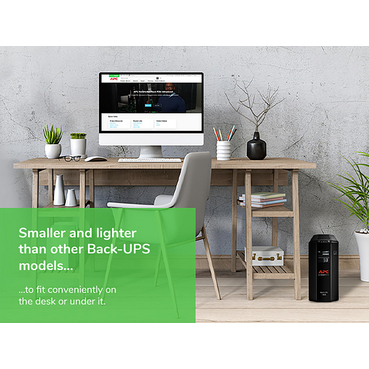

⚡ Step 1: Understand What an APC UPS Does
An APC UPS (Uninterruptible Power Supply) provides:
Instant power backup during outages
Protection from voltage fluctuations, surges, and spikes
Safe shutdown of connected devices
Extended equipment life
In Indian power conditions, a UPS is essential for data protection and hardware safety.
🔢 Step 2: Calculate Your Power Requirement (VA / Watt)
The most important step in choosing an APC UPS is calculating the total power load.
How to Calculate:
List all devices to be connected (PC, monitor, router, server, etc.)
Add their wattage
Multiply total wattage by 1.6 to get required VA
Example:
Desktop PC: 300W
Monitor: 100W
Router: 20W
Total: 420W
Recommended UPS: 700–800VA APC UPS
📌 Always choose a UPS with slightly higher capacity for safety.
🏠 Step 3: Choose Based on Usage Type
✔ Home & Personal Use
Ideal for desktops, Wi-Fi routers, and home offices
Recommended: 600VA – 1100VA APC UPS
Compact and energy-efficient
✔ Office & Business Use
Suitable for multiple desktops, printers, and networking devices
Recommended: 1100VA – 2200VA APC UPS
Ensures uninterrupted productivity
✔ Servers & IT Infrastructure
Designed for servers, NAS, and networking racks
Recommended: Line-Interactive or Online APC UPS
Provides stable power and extended runtime
⏱ Step 4: Decide Required Backup Runtime
Ask yourself:
Do you need 5–10 minutes (safe shutdown)?
Or 30–60 minutes (continuous operation)?
Higher runtime requires:
Higher VA rating
External battery support (for advanced APC models)
🛡 Step 5: Check Voltage Regulation & Protection Features
A good APC UPS should offer:
Automatic Voltage Regulation (AVR)
Surge & spike protection
Battery backup during outages
Audible alerts & status indicators
These features protect your equipment from frequent voltage fluctuations common in India.
🔌 Step 6: Number of Output Sockets
Ensure the APC UPS has enough output sockets for:
CPU
Monitor
Router
External storage devices
📌 Avoid using extension cords for UPS connections.
🧾 Step 7: Warranty, Service & Genuine Products
Always buy APC UPS that comes with:
Manufacturer warranty
GST invoice
Authorized supplier assurance
Buying genuine products ensures reliability, safety, and long-term performance.
🛒 Why Buy APC UPS from estorewale.com?
When you buy APC UPS from estorewale.com, you get:
100% genuine APC products
GST-compliant billing
Manufacturer-backed warranty
Competitive pricing for retail & corporate buyers
Expert guidance to choose the right model
We support home users, offices, and corporate customers, including bulk and B2B requirements.
✅ Final Recommendation
Choosing the right APC UPS depends on:
Power load
Usage environment
Backup time needed
Equipment sensitivity
If you are unsure, it’s always better to consult experts before purchasing. The right APC UPS ensures uninterrupted power, data protection, and peace of mind.
Explore the best APC UPS solutions online at estorewale.com and protect your systems against power uncertainties.